Hello World
This tutorial builds a simple Rosia application: one node sends a message, another prints it.
Define Nodes
A Rosia node is a Python class decorated with @Node. Ports are declared as class attributes.
from rosia import InputPort, OutputPort, reaction, Node, Application, log

@Node
class Greeter:
    output = OutputPort[str]()  # declares a typed output port

    # start() is called once before the event loop begins
    def start(self):
        self.output("Hello, World!")  # Send a value on the output port

@Node
class Printer:
    message = InputPort[str]() # declares a typed input port.  Do not use `input` as a port name since it's a reserved Python keyword

    @reaction([message])  # Reaction is executed when listed port receives a message
    def print_message(self):
        log.info(self.message)  # self.message reads the current value of the input port
        # rosia's log function prefixes messages with the node name (e.g. [Printer_1])
        # Available levels: log.debug(), log.info(), log.warning(), log.error(), log.critical()
Wire and Run
Create a Application, instantiate nodes, connect ports with >>=, and call execute(). Connections are automatically type checked.
app = Application()
greeter = app.create_node(Greeter())
printer = app.create_node(Printer())
greeter.output >>= printer.message
app.diagram(save_to="hello_diagram.png")
app.execute()
Optionally, app.diagram(save_to="hello_diagram.png") generates a visualization of the dataflow graph, showing nodes and their port connections:
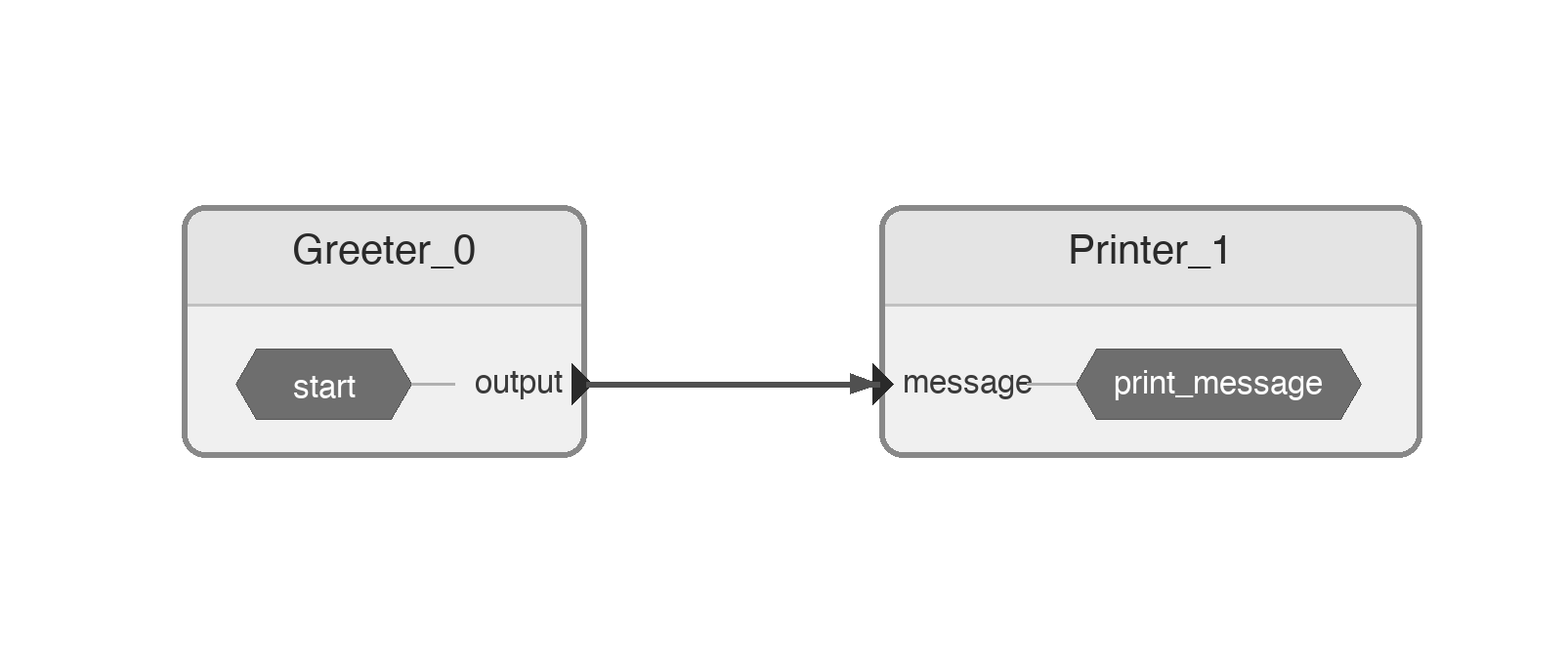
Run with python hello.py. This produces:
[Printer_1] Hello, World!
What happened
Greeter.start()sends"Hello, World!"on its output port.Printerreacts to the message and logs it. Since greeter is numbered 0, printer is numbered 1.- Since
Greeterhas no more messages to send, it signals completion.Printerreceives this signal, detects it has no more work, and the application shuts down automatically.