Simulation
This tutorial shows how to drive a simulator with Rosia by building a closed loop between an Atari Skiing environment and a heuristic agent that steers through the gates. It puts together everything from the previous tutorials: ports,
reactions, logical time, and Rerun visualization. STAT is computed automatically from the topology and the yield in the environment's reaction.
Pipeline
Two nodes form a tight feedback loop:
Environmentwrapsgymnasium'sALE/Skiing-v5. It emits the current frame onobservationand consumes the next action onaction_in.Agentreads each frame, finds the player and the next gate by color, and emits a steering action onaction_out(0=NOOP,1=RIGHT,2=LEFT).
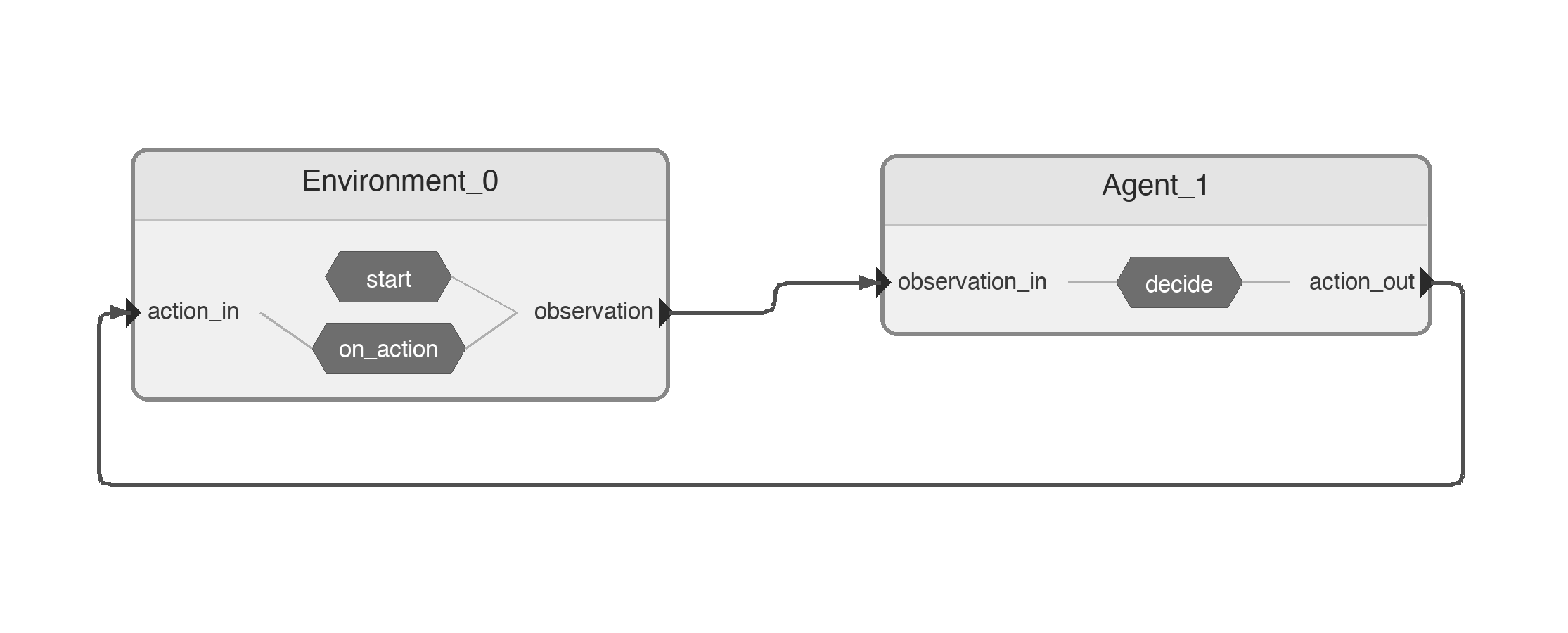
The cycle is: Environment.observation → Agent.observation_in → Agent.action_out → Environment.action_in → next frame.
Requirements
pip install 'gymnasium[atari]' 'ale-py' 'autorom[accept-rom-license]'
Nodes
import numpy as np
import gymnasium as gym
import ale_py

import rerun as rr
import rerun.blueprint as rrb

from rosia import InputPort, OutputPort, reaction, Node, Application, request_shutdown, log
from rosia.config import RerunConfig
from rosia.time import s

gym.register_envs(ale_py)

# Colors in RGB
PLAYER_COLOR = np.array([214, 92, 92])
RED_FLAG_COLOR = np.array([184, 50, 50])
BLUE_FLAG_COLOR = np.array([66, 72, 200])
THETA_DIFF_THRESHOLD = 0.015
SEED = 42


@Node
class Environment:
    observation = OutputPort[np.ndarray]()
    action_in = InputPort[int]()

    def __init__(self, render: bool = True):
        self.render = render
        self.dt = 1 * s / 15
        render_mode = "rgb_array" if self.render else None
        self.env = gym.make("ALE/Skiing-v5", render_mode=render_mode)
        self.env.action_space.seed(SEED)

    def start(self):
        frame, _ = self.env.reset(seed=SEED)
        log.info("Game started")
        self.observation(frame)

    @reaction([action_in])
    def on_action(self):
        frame, _, terminated, truncated, _ = self.env.step(self.action_in)
        done = terminated or truncated
        if done:
            log.info("Game over!")
            request_shutdown()
        else:
            yield self.dt
            self.observation(frame)

    def shutdown(self):
        self.env.close()
A few things to note about Environment:
self.dt = 1 * s / 15is the simulator step duration — one Atari frame at 15 Hz.- In
start(), the initial frame is sent at logical time0s. There is no STAT to set:start()either yields (advertising a future emission) or returns; here it returns after the initial emission, and the next emission is scheduled byon_action'syield. - In
on_action(), the reaction usesyield self.dtto pause for one frame in logical time, then sends the new observation. The yield itself is what tells the STAT machinery "next emission at +dt"; downstream advances accordingly. - When the episode ends,
request_shutdown()is called from inside the reaction, which tears down the application.
@Node
class Agent:
    observation_in = InputPort[np.ndarray]()
    action_out = OutputPort[int]()

    def __init__(self):
        self.prev_theta = 0.0

    def find_position(
        self, frame: np.ndarray, color: np.ndarray
    ) -> tuple[float, float] | None:
        """Find mean position of pixels matching color. Returns (row, col) or None."""
        mask = np.all(frame == color, axis=2)
        positions = np.argwhere(mask)
        if len(positions) == 0:
            return None
        return float(positions[:, 0].mean()), float(positions[:, 1].mean())

    @reaction([observation_in])
    def decide(self):
        frame = self.observation_in
        player_pos = self.find_position(frame, PLAYER_COLOR)
        cropped = frame[:200]
        flag_pos = self.find_position(cropped, RED_FLAG_COLOR) or self.find_position(
            cropped, BLUE_FLAG_COLOR
        )

        if player_pos is None or flag_pos is None:
            # Can't see player or flag, go straight
            self.action_out(0)
            return

        player_row, player_col = player_pos
        flag_row, flag_col = flag_pos

        theta = np.arctan2(flag_row - player_row, flag_col - player_col)
        theta_diff = theta - self.prev_theta
        self.prev_theta = theta

        if theta_diff > THETA_DIFF_THRESHOLD:
            action = 2  # LEFT
        elif theta_diff < -THETA_DIFF_THRESHOLD:
            action = 1  # RIGHT
        else:
            action = 0  # NOOP

        log.rerun(rr.Image(frame), rerun_subpath="game")
        self.action_out(action)
The Agent is purely reactive: every time a new frame arrives on observation_in, it computes a steering action and sends it back. The heuristic locates the player and the next gate (red, falling back to blue) by averaging the positions
of pixels matching their respective colors, then steers based on the change in angle to the gate. Each frame is also forwarded to Rerun via log.rerun(...) so the run can be inspected visually.
Wiring
if __name__ == "__main__":
    app = Application()
    env = app.create_node(Environment(render=True))
    agent = app.create_node(Agent())

    env.observation >>= agent.observation_in
    agent.action_out >>= env.action_in

    app.diagram()
    app.execute(
        rerun_config=RerunConfig(
            name="skiing",
            blueprint=rrb.Blueprint(rrb.Spatial2DView()),
        )
    )
The two >>= lines close the feedback loop. app.diagram() writes the pipeline diagram shown above, and app.execute(...) starts the application with a Rerun viewer configured to show a single 2D spatial view.
Running
python examples/skiing.py
You should see a Rerun window pop up, with the skier descending the slope and steering toward the gates:
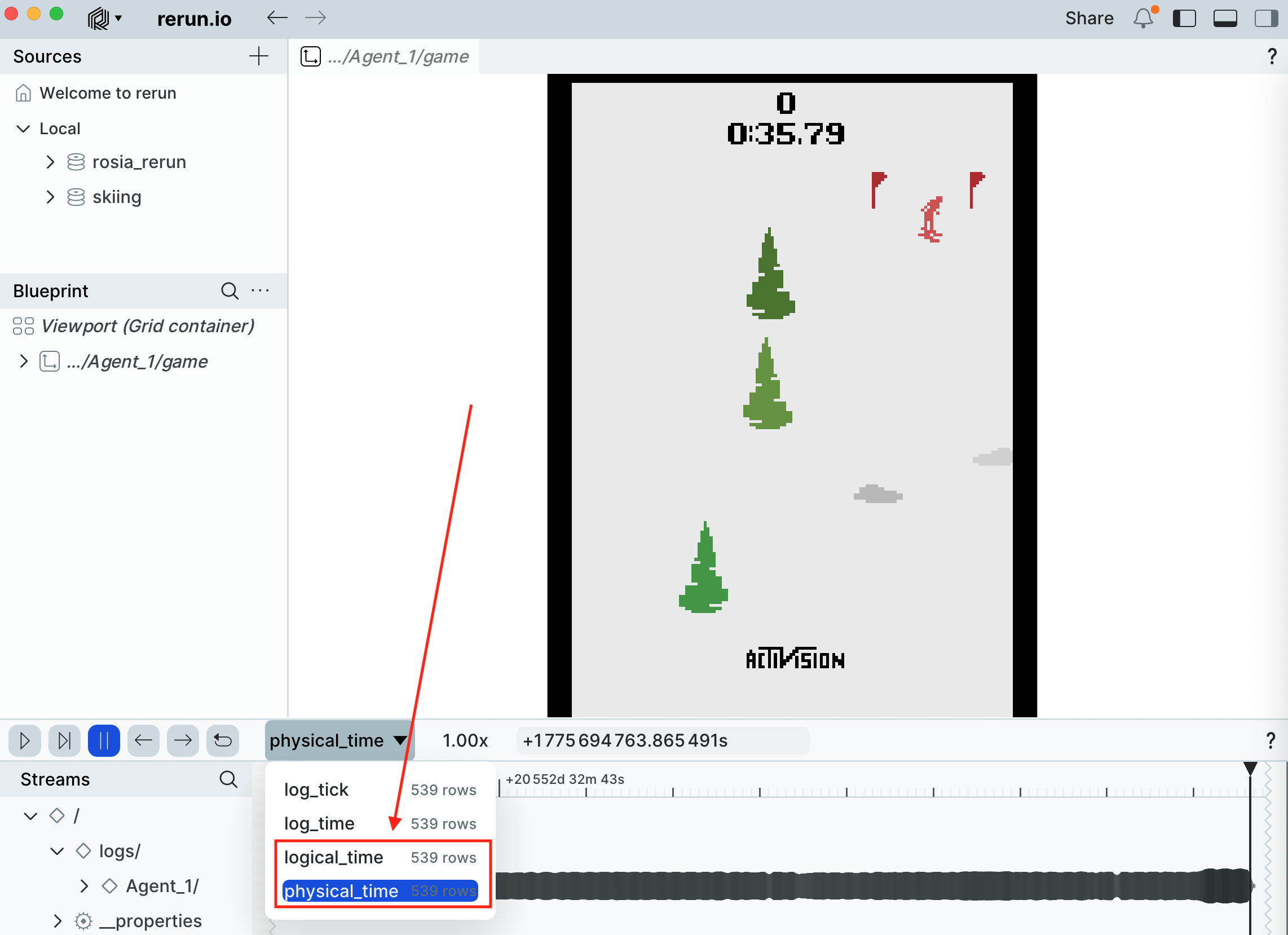
Because the environment is seeded with SEED = 42 (both env.reset(seed=...) and env.action_space.seed(...)) and the agent is fully deterministic, the entire run is reproducible from one execution to the next.
Why use Rosia for this?
A single-process loop would also work for this toy example, but expressing it as two Rosia nodes gives you a few things for free:
- Process isolation.
EnvironmentandAgentrun in separate processes, so a heavyweight learner or perception model can sit on the agent side without blocking simulation. - Logical-time pacing. The simulator advances in
1/15 ssteps in logical time, independent of how long each step actually takes to compute. STAT keeps the agent and environment in lockstep without any explicit synchronization. - Observability. Rerun integration is one line per frame (
log.rerun(rr.Image(frame), ...)), and the same logging that drives Rerun in development can be turned off in production.
Key points
- Closed-loop simulators map naturally onto two reacting nodes connected in a cycle.
- A
yield <Time>in a reaction advertises when the node will next produce a message; downstream nodes use that to advance their logical time safely. No explicit STAT API is needed. - Seeding both
env.reset(seed=...)andenv.action_space.seed(...)makes the run deterministic.